How It Works
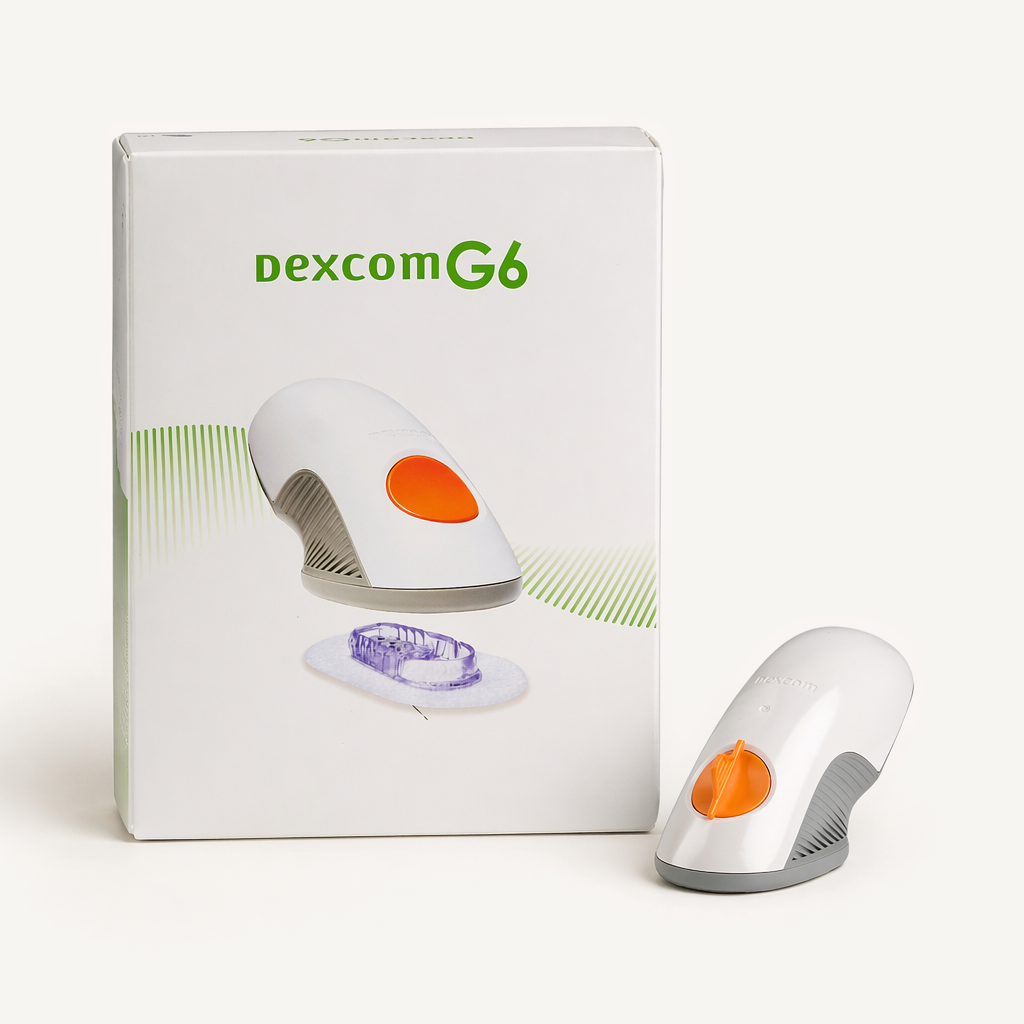
The Dexcom G6 system functions through three main components: a sensor, a transmitter, and a display device. The sensor is a small, flexible wire inserted just under the skin using an automatic applicator. Once in place, the sensor stays in constant contact with the interstitial fluid to measure glucose levels.
A reusable transmitter snaps into the sensor pod and serves as the communication hub. This part of the system uses Bluetooth to transmit glucose data every 5 minutes to a receiver or a smartphone app.
The receiver or app displays a numerical glucose reading and a trend arrow that indicates whether glucose levels are stable, rising, or falling.
The app can also help predict whether a patient will reach a dangerously low glucose level within 20 minutes. This early warning system can help those who may not feel the physical symptoms of low blood sugar.
| Quick Facts | |
|---|---|
| Common Brands | Dexcom G6 |
| Drug Class | Continuous glucose monitoring (CGM) |
| Generic Status | No generic version available |
| Availability | Prescription only |
Dosing
The Dexcom G6 sensor is a single-use device that remains on the body for up to 10 days. After this period, you must replace the sensor for continued monitoring. Standard guidelines suggest rotating the insertion site to different locations on the belly with every new sensor to allow the skin to heal and to prevent the buildup of scar tissue.
The transmitter is a separate, reusable component that typically lasts for 90 days. While you replace the sensor every 10 days, you snap the same transmitter into each new sensor throughout its three-month battery life. Check the transmitter battery status in the display app to ensure there is enough power for a full 10-day sensor session.
Note: Dosing information below is educational only. Your prescribing physician will determine your specific dose based on your individual health needs. Always follow your healthcare provider’s instructions for exact usage.
Uses
FDA-Approved Uses
The Dexcom G6 sensor is FDA-approved for the continuous monitoring of glucose levels in the fluid between cells (interstitial fluid) in adults with diabetes.
Off-Label Uses
You may see the Dexcom G6 sensor prescribed for uses that are not “FDA-approved.” This is a common and legal practice called “off-label” prescribing, where a doctor uses their clinical judgment to prescribe a drug for a different (but well-researched) purpose. Providers typically recommend this device for the following conditions:
- Reactive hypoglycemia: Individuals who experience low blood sugar after meals may use this device to identify triggers and patterns.
- Steroid-induced hyperglycemia: Some providers use the Dexcom G6 to monitor blood sugar levels in patients who develop high blood sugar while taking corticosteroids. This can help identify glucose patterns and guide treatment decisions, even in individuals who do not have a diagnosis of diabetes.
- Prediabetes and wellness monitoring: Some individuals use the Dexcom G6 to better understand how diet, exercise, sleep, and other lifestyle factors affect glucose levels. Although continuous glucose monitoring is increasingly used in people with prediabetes, the Dexcom G6 is FDA-cleared for diabetes management, making these uses off-label.
Side Effects
The Dexcom G6 sensor is generally well tolerated, but the adhesive and insertion process can cause localized reactions. Monitor the skin around the device for any signs of irritation or infection. If system readings do not match your physical symptoms, perform a fingerstick test to confirm the accuracy of your glucose level.
Common Side Effects
- Skin redness at the insertion site
- Swelling or mild bruising
- Itching or irritation from the adhesive
- Minor bleeding upon insertion
Serious Side Effects
Serious side effects are rare, but it’s important to know what to look for if they do occur.
- Skin irritation at the site: Mild redness, itching, or discomfort may occur where the sensor is applied. In rare cases, more significant skin irritation can develop.
- Allergic skin reaction: Some individuals may develop a reaction to the adhesive, such as redness, itching, rash, blistering, or eczema-like skin changes at the application site.
- Sensor wire breakage: In rare cases, a small piece of the sensor wire may remain under the skin after the sensor is removed.
- Severe hypoglycemia or hyperglycemia: If the system provides inaccurate readings and a person takes too much or too little insulin, dangerous blood sugar levels can result. Although the device is FDA-approved for insulin dosing decisions, readings may lag behind blood glucose levels during rapid glucose changes. A confirmatory fingerstick blood glucose test is recommended if CGM readings do not match symptoms or seem inaccurate.
Call your doctor immediately if you experience any concerning or prolonged symptoms.
Pharmacist Tips
Wash Hands Thoroughly
Always clean the insertion area with soap and water, then with an alcohol wipe. Removing oils and lotions from the skin helps the adhesive patch stay secure for the full 10 days.
Save the Sensor Code
Every sensor comes with a specific 4-digit code on the paper tab. Entering this code into the app allows the system to work without daily fingerstick calibrations.
Hydrate for Accuracy
Because the sensor measures fluid between the cells, dehydration can lead to less accurate readings. Maintaining proper hydration helps the device provide the most reliable glucose data.
Check the Transmitter Date
Keep track of when the 90-day transmitter was started. The system will provide warnings as the battery nears the end of its life, but having a backup transmitter ready prevents gaps in monitoring.
Clean and Dry Skin Properly
Ensure that the skin is completely dry after using alcohol wipes before applying the adhesive. This step helps the patch stay firmly in place during physical activity or showering.
Use Overpatches If Needed
If the edges of the sensor patch begin to peel, applying a medical-grade overpatch can help keep the device secure. This is particularly helpful for active individuals or those who swim frequently.
Avoid Bony Areas
When choosing an insertion site, look for fatty areas and avoid spots with a lot of muscle or bone. Placing the sensor in an area with more subcutaneous fat generally results in a more comfortable experience and better accuracy.
Drug Interactions
The Dexcom G6 sensor is a hardware device, but certain substances can interfere with the sensor’s chemistry and cause inaccurate glucose readings.
- Acetaminophen (Tylenol): The Dexcom G6 is more resistant to acetaminophen interference than older CGM systems. However, very high doses may still cause falsely elevated glucose readings. If readings seem inconsistent with symptoms, confirm with a fingerstick blood glucose test.
- Hydroxyurea: This medication is known to interfere with the sensor, resulting in readings that are significantly higher than the actual blood sugar level.
- Skin care products: Sunscreens, perfumes, and insect repellents can damage the plastic of the transmitter or sensor. This damage may cause the device to crack or malfunction.
Always give your doctor and pharmacist a complete list of all your medications, vitamins, and supplements to check for potential interactions.
FAQs
Why do I have to wait a full two hours for the sensor to “warm up” before I can see my blood sugar?
The two-hour window is necessary for the sensor wire to acclimate to the environment under the skin. During this period, the system’s chemistry stabilizes, ensuring accurate glucose readings once the session begins.
What is the difference between the disposable 10-day sensor and the reusable 90-day gray transmitter?
The sensor is the part that sits under the skin and must be discarded after 10 days. The transmitter is the computer that snaps into the sensor. It is reusable and lasts about 3 months.
Why do I need to save the 4-digit code on the paper peel-off tab before I insert the sensor?
Entering this code tells the system the specific calibration profile for that individual sensor. If this code is lost, the patient must perform manual fingerstick calibrations twice a day to ensure the device remains accurate.
Can I place this sensor on my arm or thigh?
For adults, the belly is the only FDA-approved site for this device. While some providers may suggest other areas based on clinical experience, placing the sensor in non-approved spots, such as the arm or thigh, may affect the accuracy of the readings.
What should I do if the applicator gets stuck and refuses to release the sensor?
If the applicator does not release, try gently tapping the top of the device or cycling the safety guard. If the applicator remains stuck, remove and replace the entire unit, as you cannot manually deploy the sensor.
Will the transmitter die on day 90, or does it have a built-in grace period before it stops working?
The transmitter has a hard shut-off once the battery reaches its limit, typically around 90 to 110 days. The system will provide multiple alerts starting three weeks before the battery dies so that a replacement can be ordered.
Is it safe to go through an airport TSA scanner, or will the radiation destroy my transmitter?
Walk-through metal detectors are generally considered safe. Dexcom recommends avoiding body scanners and baggage X-ray machines as a precaution, though evidence of actual device damage is limited. If preferred, you may request a hand inspection or pat-down and follow the manufacturer’s current travel guidance.
How can I swim in a chlorinated pool or sit in a hot tub with the Dexcom G6 sensor?
Chlorinated pool water is not known to affect Dexcom G6 accuracy. The sensor and transmitter are water-resistant up to 8 feet for 24 hours, but prolonged swimming or hot tub use may weaken the adhesive and cause the sensor to detach. High temperatures may also affect sensor performance. Real-time readings may be unavailable while swimming due to Bluetooth range limitations.
Can I leave this sensor on if I have to get an emergency X-ray, MRI, or CT scan at the hospital?
Dexcom recommends removing the sensor and transmitter before an MRI, CT scan, or other imaging procedure as a precaution. If removal is not possible during an emergency, inform your healthcare team that you are wearing a Dexcom G6 and follow their instructions.
Does Dexcom send free replacements if my sensor falls off or fails to warm up?
The manufacturer often provides replacements for sensors that fail due to technical issues or adhesive problems. Patients typically need to provide the sensor lot number and a description of the failure to the support team to request a replacement.
Comparable Medications
Dexcom G6 vs Dexcom G7, FreeStyle Libre 3, or Eversense E3?
Dexcom G7 Sensor
From $159.99
The Dexcom G7 represents the latest version of this technology. Most notably, the G7 combines the sensor and transmitter into one disposable unit. This system also features a 30-minute warm-up period, significantly shorter than the two-hour requirement for the G6.
FreeStyle Libre 3 CGM Sensor
From $119.99
The FreeStyle Libre 3 is a competing CGM that is significantly smaller at roughly the size of a penny. While both systems automatically send data to a smartphone, the Libre 3 sensor lasts 14 days, which is longer than the Dexcom G6. However, patients may prefer the Dexcom G6 for its ability to integrate with various insulin pumps for automated delivery.
Eversense E3
The Eversense E3 is a long-term implantable CGM. Unlike the Dexcom G6, which you insert at home every 10 days, a healthcare provider places the Eversense sensor under your skin, where it lasts for up to 6 months. This system requires you to wear a removable transmitter over the implant site daily, but it eliminates the need for frequent home sensor changes.
We Have the Dexcom G6 Sensor in Stock. Get Yours Today!
Important: Information on this page is for educational purposes only. Prescribing decisions are made by independent, licensed providers. TelyRx operates technology-enabled pharmacies and a telehealth platform that connects patients with licensed providers. Prescriptions, when provider-approved and issued, are filled and shipped by TelyRx-affiliated pharmacies. We do not employ physicians or make prescribing decisions. Learn more about our editorial standards here.